

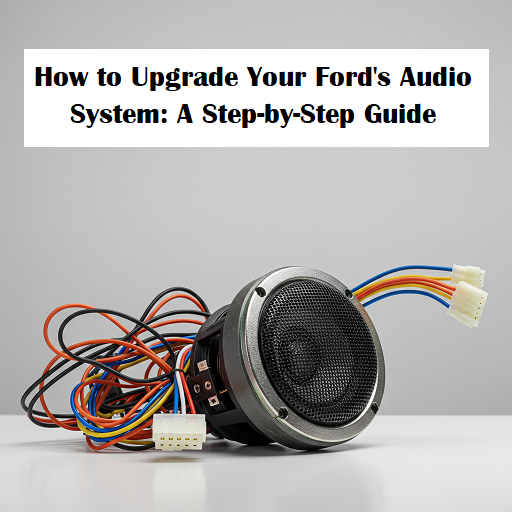
Upgrading the audio system in your Ford can transform your driving experience, bringing crisp sound, deeper bass, and advanced features that make every journey more enjoyable. Whether you’re looking to enhance the factory system or build a custom setup, this guide will walk you through the steps to upgrade your Ford’s audio system.
Assess Your Current Audio System
Before diving into upgrades, it’s important to understand your current audio setup. Ford vehicles come with a variety of factory-installed systems, ranging from basic stereo setups to premium options like the B&O Sound System by Bang & Olufsen.
- Identify Your System: Determine which audio system your Ford currently has. This information can be found in your vehicle’s manual or by consulting a dealership.
- Evaluate Sound Quality: Spend some time listening to your current system. Identify areas where you’d like to see improvement, such as bass response, clarity, or overall volume.
Choose Your Upgrade Path
Once you’ve assessed your current system, decide on the type of upgrade you want. There are several components you can upgrade, depending on your budget and the level of improvement you’re seeking.
- Speakers: Upgrading the factory speakers is often the most impactful way to enhance sound quality. Aftermarket speakers offer better materials and construction, resulting in clearer sound and improved bass response.
- Subwoofer: Adding a subwoofer can dramatically improve the bass in your audio system. This is especially beneficial if you listen to bass-heavy music or want a fuller sound.
- Amplifier: A new amplifier can provide more power to your speakers and subwoofer, allowing them to perform at their best. It also helps to reduce distortion at higher volumes.
- Head Unit: Upgrading the head unit (the stereo system’s control panel) can bring modern features like Bluetooth, navigation, and smartphone integration, as well as improved sound processing.
- Sound Deadening: To get the most out of your new system, consider adding sound deadening materials to reduce road noise and vibrations, enhancing overall sound quality.
Select the Right Components
Choosing the right components is crucial for achieving the sound quality you desire. Here’s what to consider for each type of upgrade:
- Speakers: Look for speakers that match your preferred sound profile—whether you want strong bass, clear mids, or bright highs. Brands like JBL, Rockford Fosgate, and Alpine are known for their quality aftermarket speakers.
- Subwoofers: When choosing a subwoofer, consider the size, power handling, and enclosure type. A powered subwoofer might be a good option for a simple installation, while a separate subwoofer and amplifier provide more customization.
- Amplifiers: Match your amplifier’s power output to the speakers and subwoofer you plan to use. A multi-channel amplifier is ideal if you’re powering both speakers and a subwoofer.
- Head Units: Choose a head unit with the features you want, such as Apple CarPlay, Android Auto, HD radio, or built-in navigation. Ensure it fits your Ford’s dashboard and is compatible with your vehicle’s wiring.
- Sound Deadening Materials: Products like Dynamat or HushMat are popular choices for reducing vibrations and road noise, helping to create a quieter cabin and more immersive sound.
Plan Your Installation
Once you’ve selected your components, plan how you’ll install them. Installation can range from straightforward to complex, depending on the upgrades you’ve chosen.
- DIY vs. Professional Installation: If you’re handy with tools and comfortable working with car electronics, you might choose to install the system yourself. However, for more complex upgrades, like installing an amplifier or custom subwoofer, professional installation is recommended.
- Tools and Equipment: Gather the necessary tools, such as screwdrivers, wire cutters, crimping tools, and a panel removal tool. If you’re replacing the head unit, you may need a wiring harness adapter and a dash kit to ensure a clean fit.
- Safety Considerations: Always disconnect the vehicle’s battery before starting any installation to avoid electrical shorts. Follow the manufacturer’s instructions for each component carefully.
Upgrade and Install
With your plan in place, it’s time to start the upgrade process. Here’s a general overview of what to expect during installation:
- Replace Speakers: Begin by removing the door panels to access the factory speakers. Carefully remove the old speakers and install the new ones, ensuring they are securely mounted and properly connected.
- Install Subwoofer and Amplifier: If adding a subwoofer, decide on the best location (often the trunk or under a seat). Mount the subwoofer and amplifier, then run the necessary wiring, including power, ground, and signal cables, ensuring all connections are secure.
- Upgrade Head Unit: Remove the factory head unit and install the new one using the wiring harness adapter and dash kit. Connect any additional accessories, such as a backup camera or additional USB ports.
- Apply Sound Deadening: If you’re adding sound deadening materials, apply them to the doors, floor, and trunk areas to reduce noise and vibrations, improving overall sound quality.
Fine-Tune Your System
Once everything is installed, take time to fine-tune your new audio system for the best sound performance.
- Adjust Settings: Use the head unit’s equalizer and other audio settings to balance the sound. Adjust the bass, midrange, and treble to your liking, and set crossover points if you’re using an amplifier.
- Test the System: Play a variety of music genres to test your new system’s performance. Listen for any distortion or imbalance and make adjustments as needed.
- Enjoy the Upgrade: Now that your Ford’s audio system is upgraded, enjoy the enhanced sound quality on your daily commutes and road trips. Whether you’re listening to your favorite tunes, podcasts, or audiobooks, your driving experience will be richer and more immersive.
Enhance Your Driving Experience
Upgrading your Ford’s audio system is a rewarding project that can significantly enhance your driving experience. By carefully selecting the right components and planning your installation, you can create a sound system that meets your needs, whether you’re seeking deep bass, crystal-clear highs, or the latest in-car technology. Whether you choose to tackle the upgrade yourself or leave it to professionals, the result will be a customized audio experience that makes every drive more enjoyable.
Connect with us


- July 2026
- June 2026
- May 2026
- April 2026
- March 2026
- February 2026
- January 2026
- December 2025
- November 2025
- October 2025
- September 2025
- August 2025
- July 2025
- June 2025
- May 2025
- April 2025
- March 2025
- February 2025
- January 2025
- December 2024
- November 2024
- October 2024
- September 2024
- August 2024
- July 2024
- June 2024
- May 2024
- April 2024
Archives
- Accessories
- Air Conditioning
- Brakes
- Business Solutions
- Cleaning Tips
- Co-Pilot360
- Comparisons
- Connectivity
- Driving Safety
- Driving Tips
- EcoBoost Technology
- Electric Vehicles
- Environment
- Family Fun
- Financing
- Fleet Service
- Ford Performance
- Ford Pro
- Ford Racing
- Ford SUVs
- Ford Vehicles
- FordPass App
- Fuel Efficiency
- General Information
- Helpful Hints
- History
- Hybrid Vehicles
- Insurance
- Local Information
- Maintenance & Service
- New Drivers
- New Ford Trucks
- New Vehicles
- Parts & Parts Department
- Powerstroke Diesel Engines
- Pre-Owned Vehicles
- Radio
- Road Trips & Vacations
- Safety Tips
- Seasonal
- Service Tips
- Shopping
- SYNC System
- Technology
- The Future of Ford
- Tires
- Towing
- Uncategorized
- Vehicle Buying Process
- Vehicle Details
- Warranties