

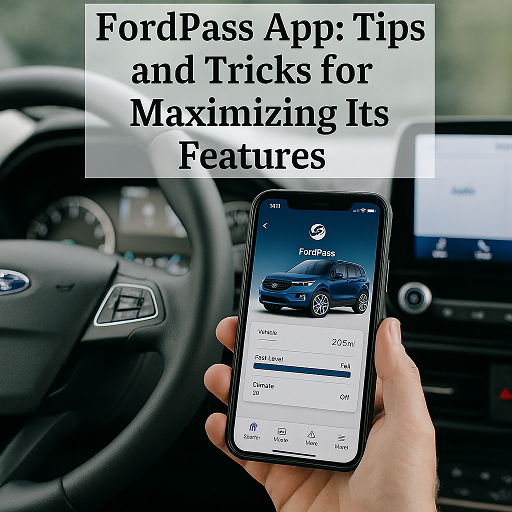
If you drive a Ford, you might already know that the FordPass app is more than just a basic vehicle companion—it’s a powerful tool that puts convenience, control, and confidence right at your fingertips. But are you truly making the most of everything FordPass has to offer?
Whether you’re new to the app or a longtime user, these tips and tricks will help you unlock the full potential of FordPass and enhance your everyday driving experience.
What is the FordPass App?
FordPass is a free smartphone app that connects you to your Ford vehicle and offers a range of smart services, including remote access, maintenance tracking, navigation support, and even parking solutions. It’s available for both iOS and Android devices, and it’s compatible with most newer Ford models.
1. Start, Stop, and Lock Your Vehicle Remotely
One of the most convenient features of FordPass is remote vehicle control. With just a tap, you can:
- Start or stop your engine
- Lock or unlock doors
- Check if windows or doors are open
Tip: Use remote start to warm up or cool down your car before you get in—perfect for chilly mornings or hot summer days.
2. Monitor Fuel and Battery Levels in Real Time
FordPass gives you live access to your fuel level, range, and (for EVs) battery charge. This means you can check your status before leaving work or planning a trip.
EV bonus: If you drive a Ford electric vehicle, you can monitor charging status, locate charging stations, and schedule charge times to take advantage of lower electricity rates.
3. Track Vehicle Health and Schedule Service
FordPass can alert you to maintenance needs, from oil changes to tire pressure issues. You can:
- View service history
- Get alerts for recalls
- Schedule service appointments at your preferred Ford dealership
Tip: Turn on push notifications so you never miss an important maintenance reminder or recall notice.
4. Use the FordPass Rewards Program
Earn and track FordPass Rewards Points by buying or servicing your vehicle at participating Ford dealerships. You can redeem points toward:
- Service discounts
- Parts and accessories
- Future vehicle purchases
Trick: Use points from a new-vehicle purchase toward future oil changes or maintenance—it’s like earning store credit just for owning your car.
5. Find and Pay for Parking
With FordPass, you can search for nearby parking garages, compare prices, and even reserve a spot ahead of time—all within the app.
Tip: Enable location services for more accurate parking and route suggestions based on your real-time location.
6. Plan Smarter with Navigation and Live Traffic
FordPass integrates with SYNC 4-equipped vehicles to provide:
- Turn-by-turn directions
- Real-time traffic data
- Routing to fuel stations or charging points
Bonus: You can send destinations directly from your phone to your car’s infotainment system before you even buckle up.
7. Set Up Geofencing and Alerts
For families with teen drivers or those who share a vehicle, FordPass lets you create driving alerts based on:
- Location boundaries (geofencing)
- Speed limits
- Time of day
Use case: Get notified if the vehicle leaves a set area or exceeds a speed limit—great for peace of mind with younger drivers.
8. Integrate with Alexa or Google Assistant
FordPass can connect with Amazon Alexa or Google Assistant for voice-activated commands. From your smart speaker or device, you can start your car, check your fuel level, or get your vehicle’s location.
Trick: Create routines with Alexa, like starting your Ford while turning on your home lights and playing your favorite playlist.
Your Own Personal Assistant
The FordPass app is like having a personal assistant for your vehicle—one that keeps you connected, in control, and on top of everything from fuel levels to service needs. By exploring its full range of features and customizing it to your lifestyle, you can turn everyday drives into seamless, smart experiences.
Connect with us


- June 2026
- May 2026
- April 2026
- March 2026
- February 2026
- January 2026
- December 2025
- November 2025
- October 2025
- September 2025
- August 2025
- July 2025
- June 2025
- May 2025
- April 2025
- March 2025
- February 2025
- January 2025
- December 2024
- November 2024
- October 2024
- September 2024
- August 2024
- July 2024
- June 2024
- May 2024
- April 2024
Archives
- Accessories
- Air Conditioning
- Brakes
- Business Solutions
- Cleaning Tips
- Co-Pilot360
- Comparisons
- Connectivity
- Driving Safety
- Driving Tips
- EcoBoost Technology
- Electric Vehicles
- Environment
- Family Fun
- Financing
- Fleet Service
- Ford Performance
- Ford Pro
- Ford Racing
- Ford SUVs
- Ford Vehicles
- FordPass App
- Fuel Efficiency
- General Information
- Helpful Hints
- History
- Hybrid Vehicles
- Insurance
- Local Information
- Maintenance & Service
- New Drivers
- New Ford Trucks
- New Vehicles
- Parts & Parts Department
- Powerstroke Diesel Engines
- Pre-Owned Vehicles
- Radio
- Road Trips & Vacations
- Safety Tips
- Seasonal
- Service Tips
- Shopping
- SYNC System
- Technology
- The Future of Ford
- Tires
- Towing
- Uncategorized
- Vehicle Buying Process
- Vehicle Details
- Warranties