

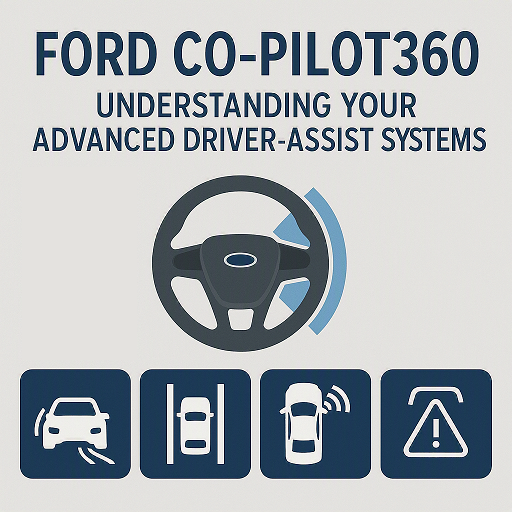
At Beach Ford, we know that driving should be as safe and comfortable as possible. That’s why Ford offers the Co-Pilot360 suite of advanced driver-assist technologies, designed to make your driving experience smoother, more convenient, and—most importantly—safer. Whether you’re driving a Ford F-150, Ford Escape, Ford Explorer, or any other Ford model, Co-Pilot360 is there to help you navigate the road with confidence.
In this blog, we’ll break down what Ford Co-Pilot360 is, how it works, and how you can make the most of these incredible safety features.
What is Ford Co-Pilot360?
Ford Co-Pilot360 is an innovative collection of safety technologies that come standard on many Ford vehicles. This suite of advanced driver-assist features is designed to support drivers by providing extra layers of protection and making it easier to avoid potential accidents. From helping you stay in your lane to preventing collisions, these systems work together to create a safer driving experience.
The best part? Many of these technologies are designed to work seamlessly without requiring any extra effort from the driver. Think of it as a co-pilot—keeping a watchful eye on your surroundings while you focus on the road ahead.
Key Features of Ford Co-Pilot360
1. Pre-Collision Assist with Automatic Emergency Braking (AEB)
What It Does:
- Pre-Collision Assist uses a forward-facing camera and radar to detect potential collisions with vehicles or pedestrians ahead.
- If it detects an imminent risk of a collision, the system will alert the driver with visual and audible warnings. If the driver doesn’t respond in time, Automatic Emergency Braking (AEB) will apply the brakes to help mitigate or avoid the collision.
Why It Works:
This system helps reduce the severity of an accident or even avoid it entirely by detecting potential hazards before the driver can react. It’s perfect for busy city streets, congested highways, or moments of driver distraction.
2. Blind Spot Information System (BLIS) with Cross-Traffic Alert
What It Does:
- BLIS monitors the blind spots on either side of your vehicle and will alert you if there’s a car, motorcycle, or another object in your blind spot when you’re changing lanes.
- Cross-Traffic Alert helps detect approaching vehicles when you’re backing out of parking spaces, giving you a visual or audible warning if it senses something coming from the left or right.
Why It Works:
Changing lanes or backing out of parking spaces can sometimes be tricky, especially in crowded areas. BLIS and Cross-Traffic Alert provide an extra set of eyes, ensuring that you’re aware of vehicles in your blind spot or moving toward you.
3. Lane-Keeping System
What It Does:
- Lane-Keeping Assist can detect lane markings on the road and will gently steer your vehicle to help keep it centered within the lane.
- Lane Departure Warning will alert you if you unintentionally drift out of your lane without signaling, giving you a visual warning.
Why It Works:
The Lane-Keeping System helps prevent accidental lane drifts, which can occur when a driver is distracted or drowsy. This feature is especially helpful during long drives or on highways where you need to stay alert for extended periods.
4. Rear View Camera and Backup Assist
What It Does:
- A rearview camera provides a live video feed of what’s behind your vehicle when you’re in reverse, helping you see obstacles or pedestrians that may be in your path.
- Backup Assist (if equipped) provides steering assistance to help guide your vehicle in reverse when you’re parking or backing out of a tight spot.
Why It Works:
Backing up can be tricky, especially in crowded or low-visibility areas. The rearview camera gives you a clearer view of your surroundings, while Backup Assist helps guide you, reducing the chances of an accident.
5. Adaptive Cruise Control (ACC) with Stop-and-Go
What It Does:
- Adaptive Cruise Control automatically adjusts your vehicle’s speed to maintain a safe following distance from the car ahead. If the vehicle slows down, your car will adjust its speed to match, and when the road clears, it will accelerate back to your set speed.
- The Stop-and-Go feature allows your vehicle to come to a complete stop and start moving again in heavy traffic, all without you needing to touch the accelerator or brake pedal.
Why It Works:
This system is perfect for highway driving or long road trips, reducing the stress of constantly adjusting your speed in traffic. It also helps you maintain a safe distance from other vehicles, making your driving experience more relaxing and safe.
6. Evasive Steering Assist
What It Does:
- Evasive Steering Assist can help you steer around a detected obstacle when a collision is imminent and braking alone won’t be enough to avoid it.
- The system uses cameras and radar to detect obstacles ahead, providing steering assistance to help you avoid a potential crash.
Why It Works:
If a vehicle or obstacle suddenly stops in front of you, evasive steering can give you the extra maneuverability needed to avoid an accident, especially at higher speeds.
7. Traffic Sign Recognition
What It Does:
- Traffic Sign Recognition scans the road for traffic signs and displays them on your vehicle’s screen to keep you informed about speed limits, stop signs, yield signs, and more.
Why It Works:
Traffic signs can sometimes be hard to spot, especially in unfamiliar areas. This feature ensures that you never miss an important sign, helping you stay compliant with traffic laws and enhancing safety.
How to Make the Most of Ford Co-Pilot360
To ensure that you’re getting the most out of your Ford Co-Pilot360, here are a few tips:
1. Familiarize Yourself with Each Feature
Spend some time learning about each feature of Co-Pilot360 and how they work in your vehicle. Understanding how each system functions will help you feel more confident and empowered when using them.
2. Keep Your Software Updated
Ford regularly releases updates for its safety technologies. Make sure your vehicle’s software is up to date to ensure that all systems are working as they should.
3. Adjust the Settings to Your Preferences
You can customize many of the settings for Ford Co-Pilot360 to suit your driving style. For example, you can adjust the distance settings for Adaptive Cruise Control or the alert sensitivity for Lane Departure Warning.
4. Use Co-Pilot360 as a Supplement, Not a Replacement
While Co-Pilot360 provides advanced assistance, always remain vigilant and aware of your surroundings while driving. These systems are designed to help, but they’re not a replacement for attentive driving.
Schedule a Test Drive at Beach Ford!
At Beach Ford, we’re here to help you explore the full capabilities of Ford Co-Pilot360 and find the perfect Ford vehicle equipped with these advanced driver-assist systems. Come visit us for a test drive, and our team will walk you through the features and demonstrate how Co-Pilot360 can make your driving experience safer and more enjoyable.
Beach Ford
Your Destination for Advanced Driver-Assistance Technology in Myrtle Beach
Connect with us


- August 2026
- July 2026
- June 2026
- May 2026
- April 2026
- March 2026
- February 2026
- January 2026
- December 2025
- November 2025
- October 2025
- September 2025
- August 2025
- July 2025
- June 2025
- May 2025
- April 2025
- March 2025
- February 2025
- January 2025
- December 2024
- November 2024
- October 2024
- September 2024
- August 2024
- July 2024
- June 2024
- May 2024
- April 2024
Archives
- Accessories
- Air Conditioning
- Brakes
- Business Solutions
- Cleaning Tips
- Co-Pilot360
- Comparisons
- Connectivity
- Driving Safety
- Driving Tips
- EcoBoost Technology
- Electric Vehicles
- Environment
- Family Fun
- Financing
- Fleet Service
- Ford Performance
- Ford Pro
- Ford Racing
- Ford SUVs
- Ford Vehicles
- FordPass App
- Fuel Efficiency
- General Information
- Helpful Hints
- History
- Hybrid Vehicles
- Insurance
- Local Information
- Maintenance & Service
- New Drivers
- New Ford Trucks
- New Vehicles
- Parts & Parts Department
- Powerstroke Diesel Engines
- Pre-Owned Vehicles
- Radio
- Road Trips & Vacations
- Safety Tips
- Seasonal
- Service Tips
- Shopping
- SYNC System
- Technology
- The Future of Ford
- Tires
- Towing
- Uncategorized
- Vehicle Buying Process
- Vehicle Details
- Warranties